
Case Study — Legacy Modernization
The engineering behind acourtroom presentation platform.
ExhibitView is the software attorneys use to organize and present evidence live in court. It had years of history, a loyal user base, and code that had outgrown its original team. Xari took over the engineering and rebuilt it under the hood — stable, fast and modern, with every feature attorneys rely on kept intact, and without missing a trial date.
“Trial presentation done right. Every time.”
Stability, root-caused
Freezes and crashes traced to their real causes and closed as a class.
Video & annotation
Zoom, annotate and clip live video; pixel-accurate marks on any display.
Modern foundations
64-bit, a current embedded browser, a signed installer, real diagnostics.
In the courtroom
Everything you need in front of a jury.
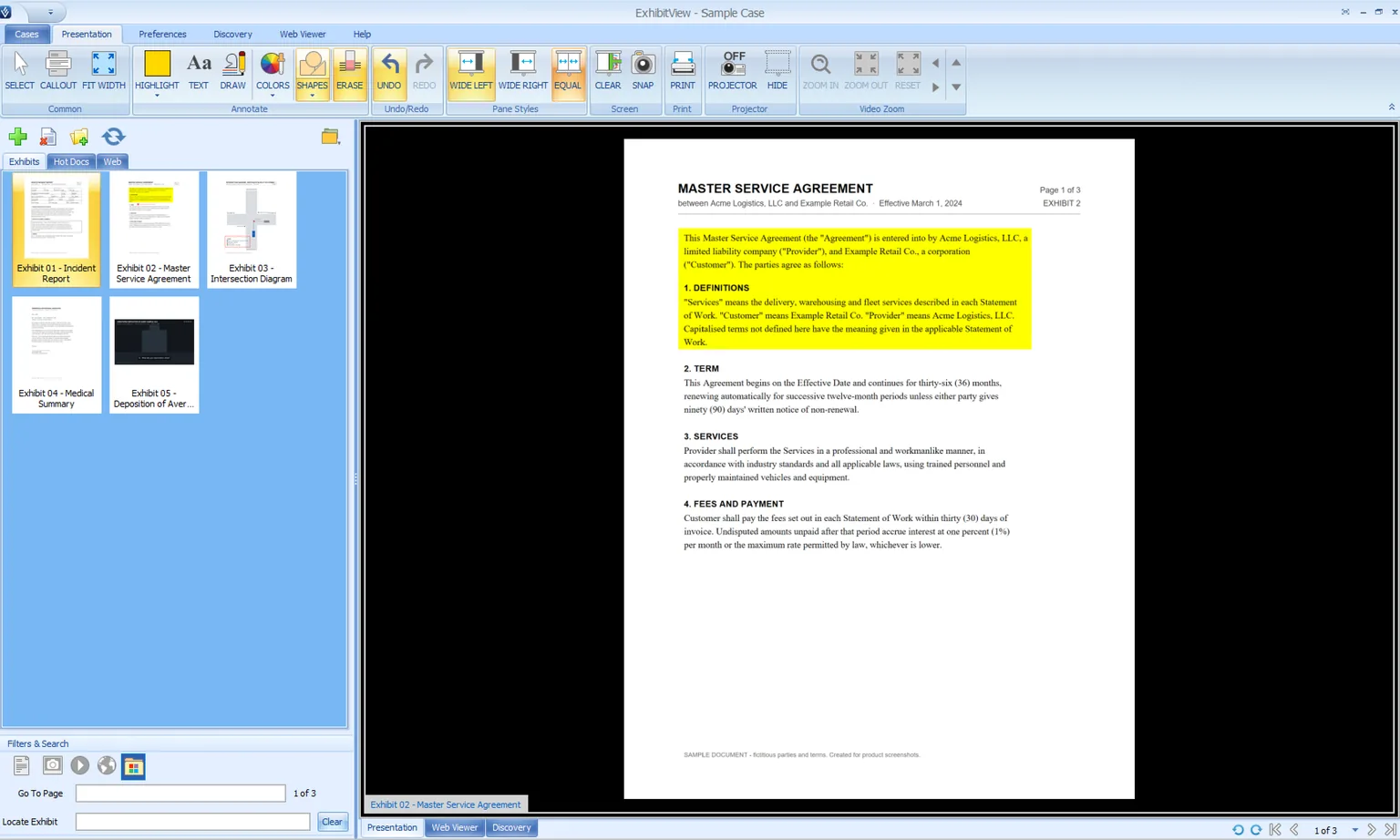
Pull up any exhibit in a single click, make your point while everyone is watching, and never lose the thread when opposing counsel jumps around. ExhibitView keeps the whole case at your fingertips — and only ever shows the jury what you want them to see.
One-click presentation
Any exhibit on the screen instantly — documents, photos, PDFs and video. One click and it's in front of the jury. No fumbling, no dead air.
Instant recall
Bring any exhibit back the moment it's referenced. Recall a document — or the exact callout you showed an hour ago — without hunting for it while the courtroom waits.
Callouts & zoom
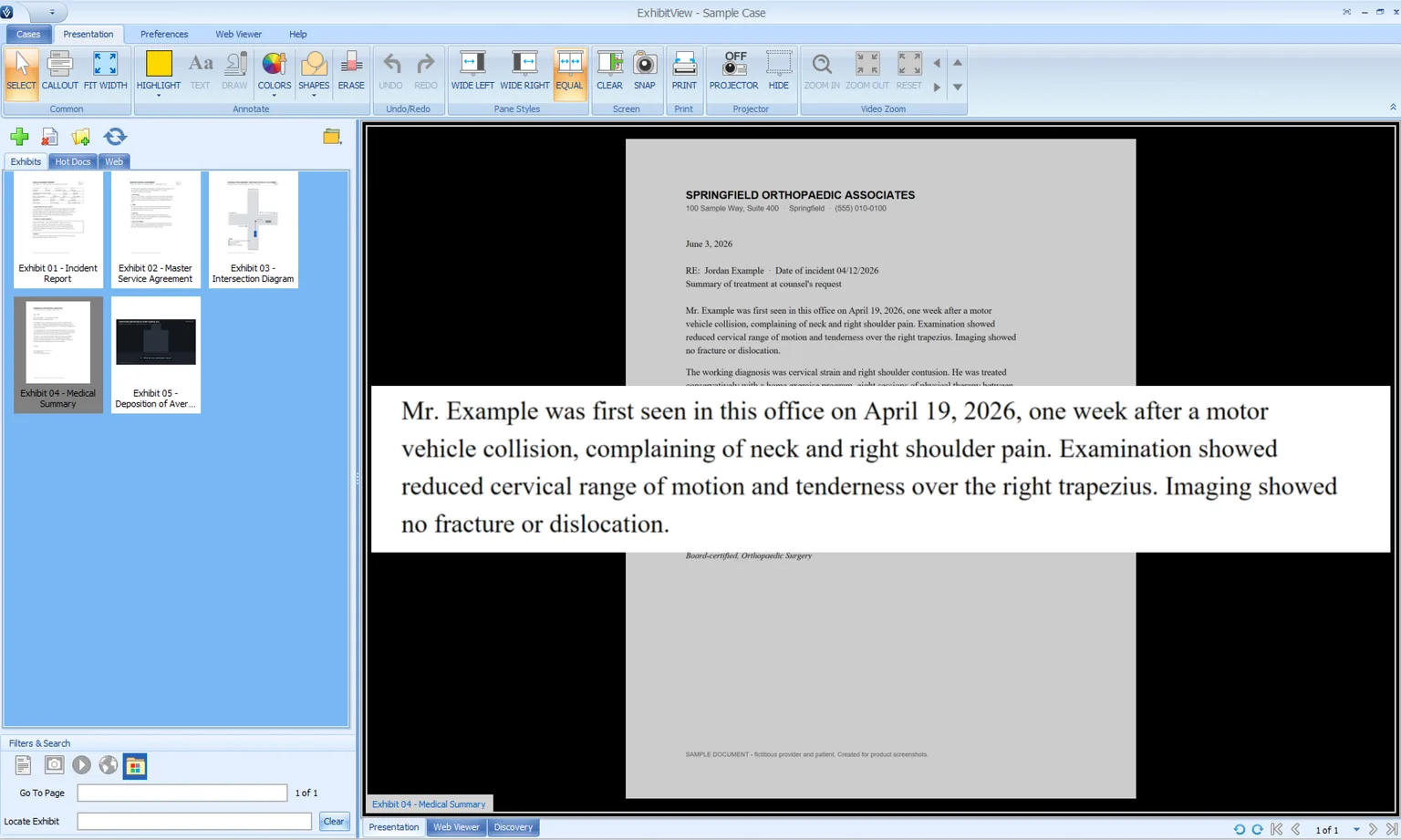
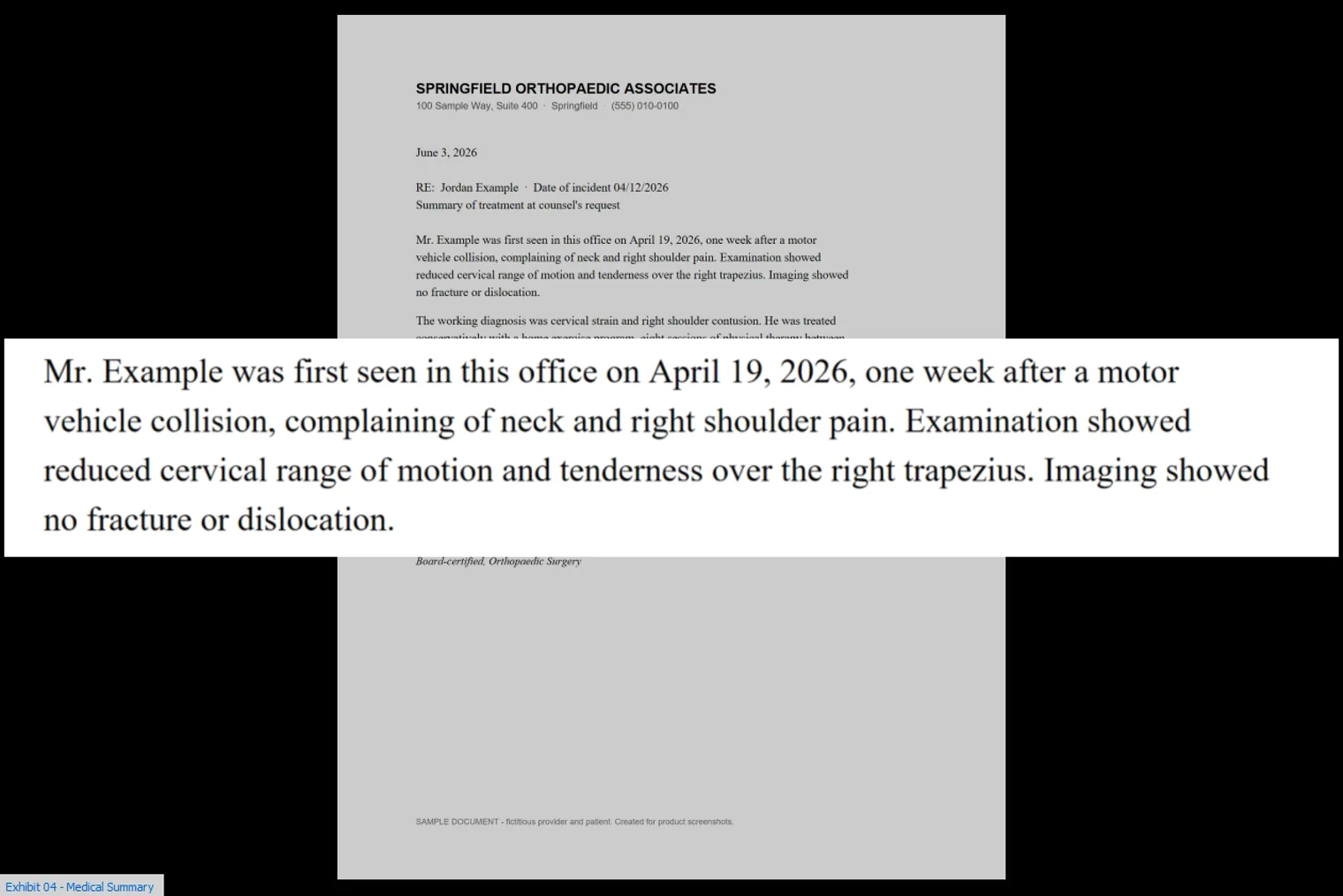
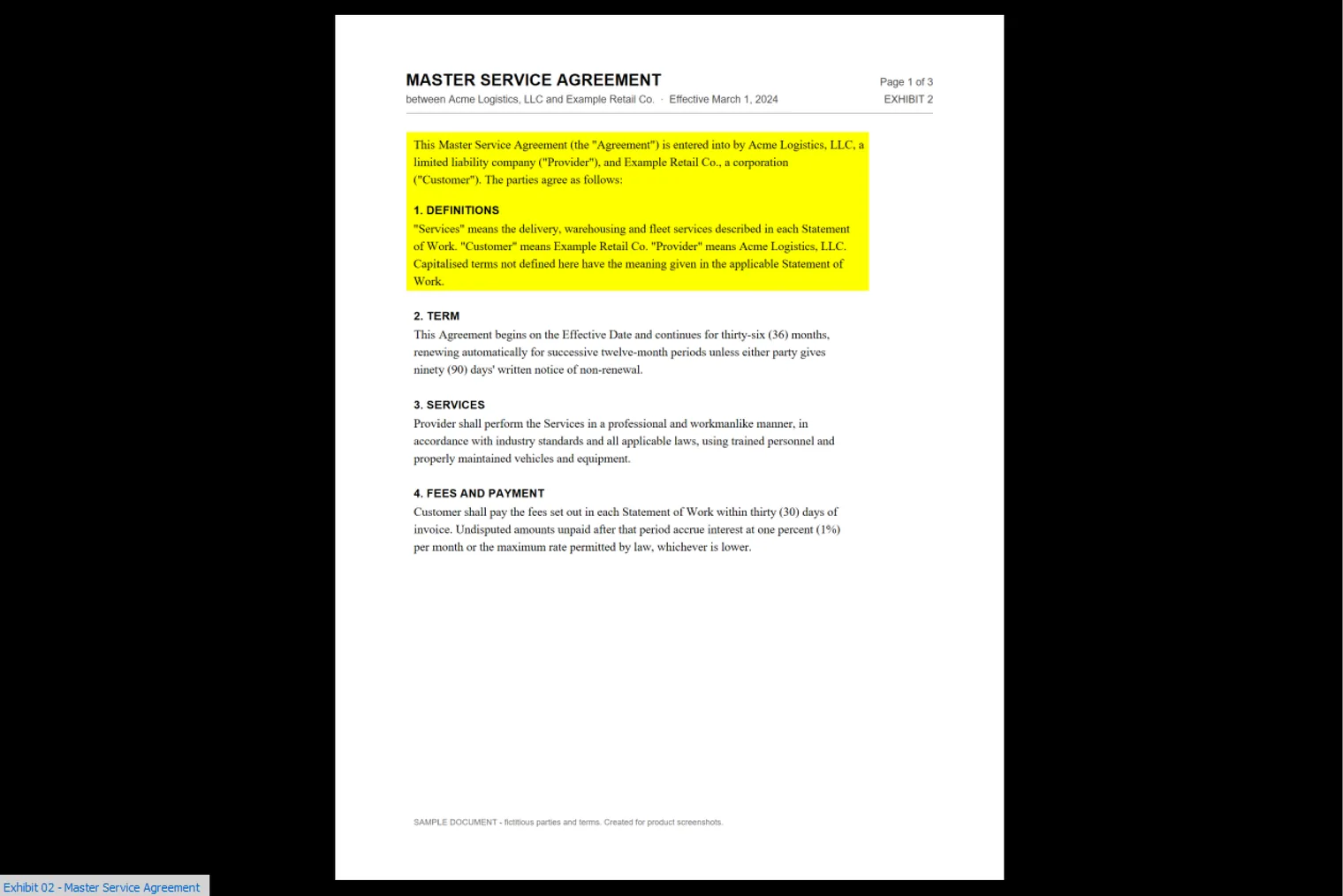
Pull the key paragraph out and enlarge it beside the full page. Tear out a clause, a line or a face so the jury sees exactly what matters.
Live annotation
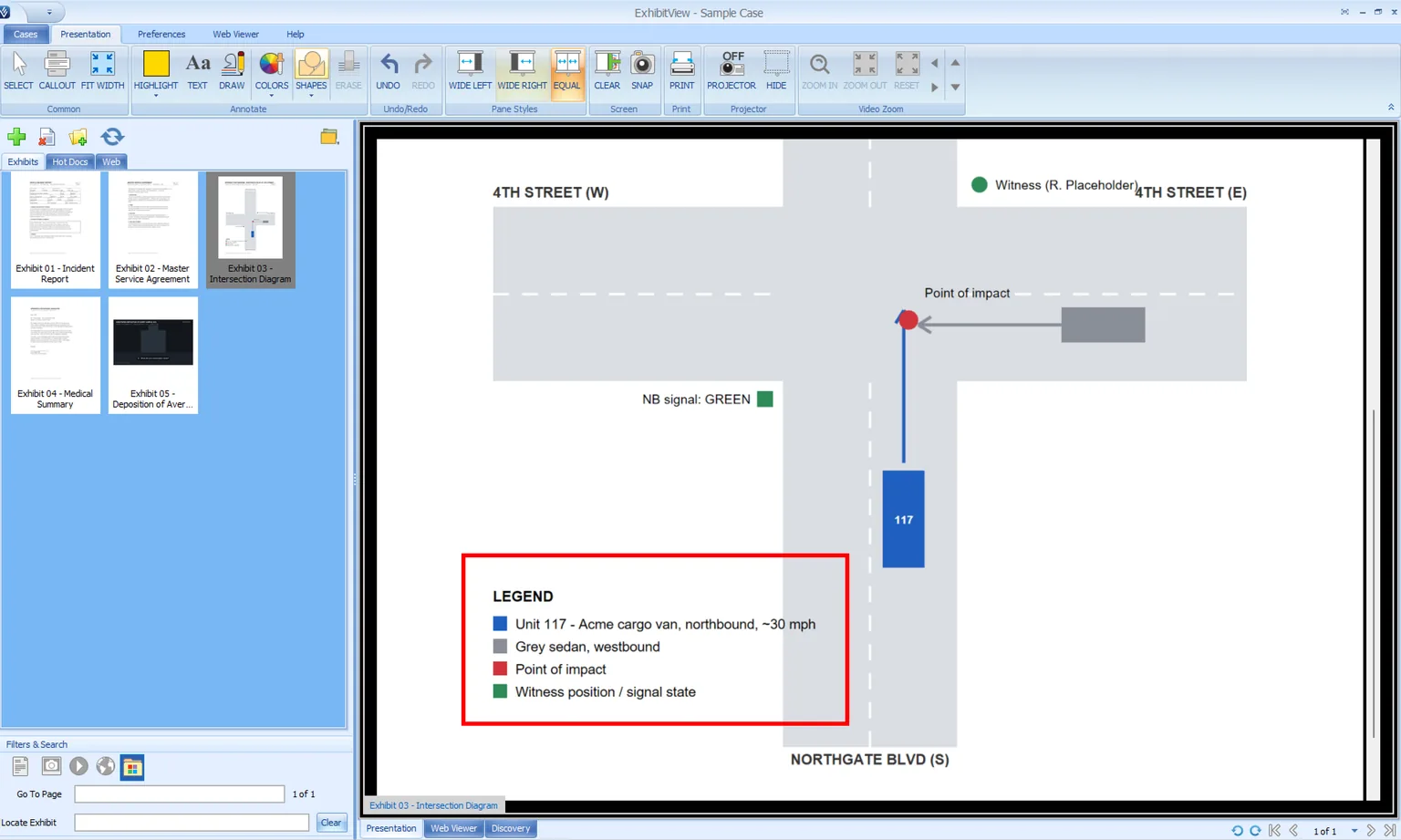
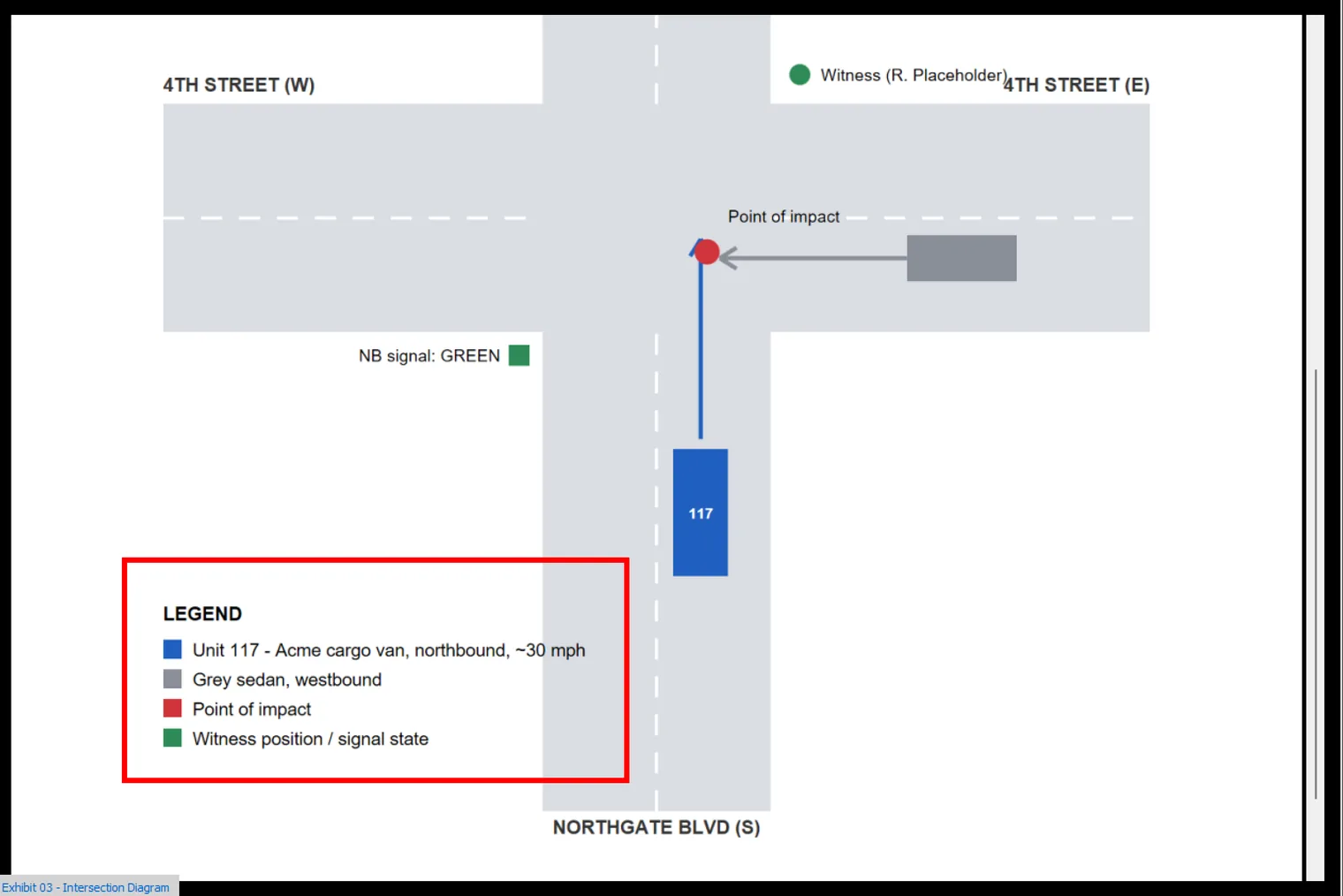
Highlight, draw and mark in real time. Ink and highlights land exactly where you draw them and mirror to the courtroom screen as you speak.
Deposition video, synced
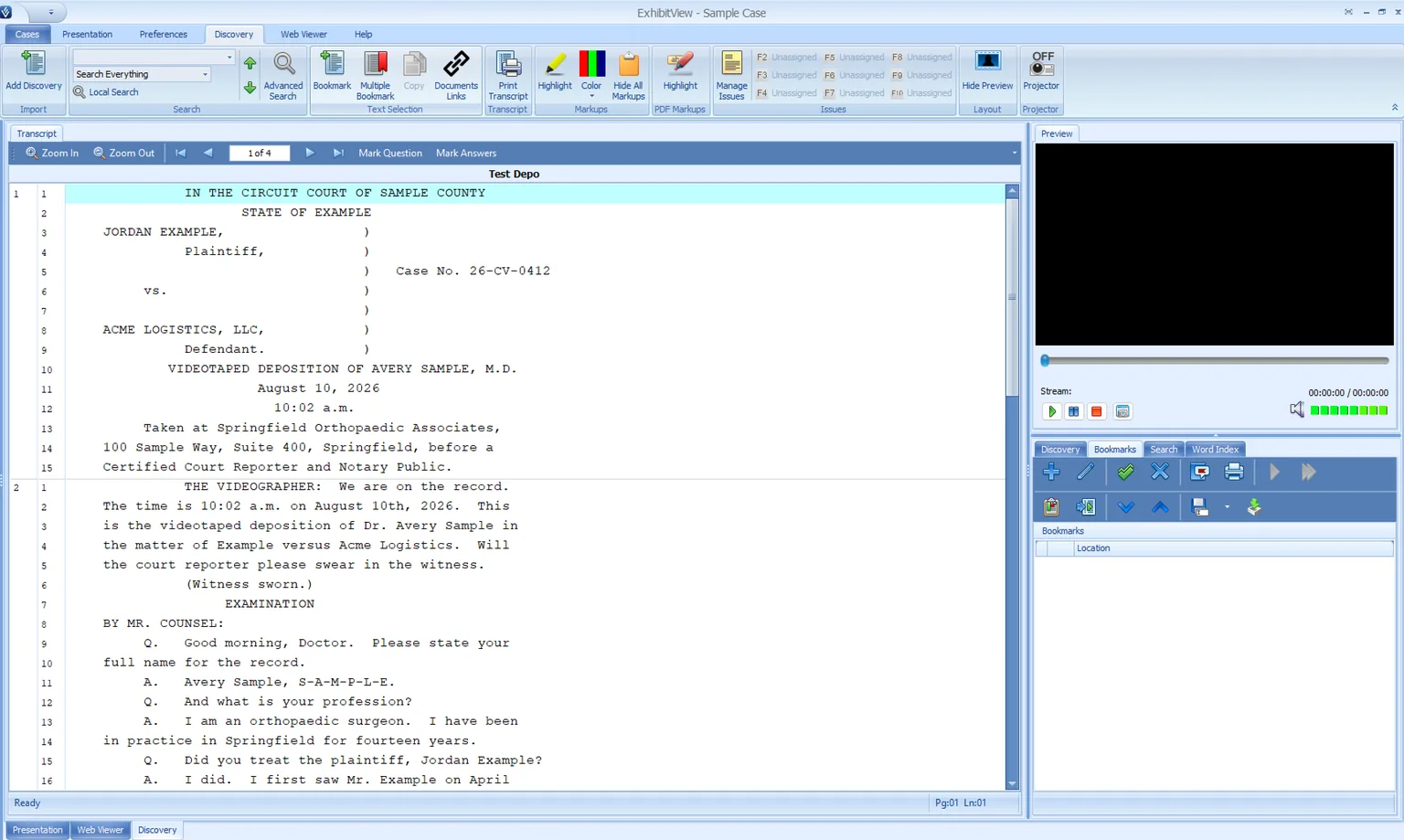
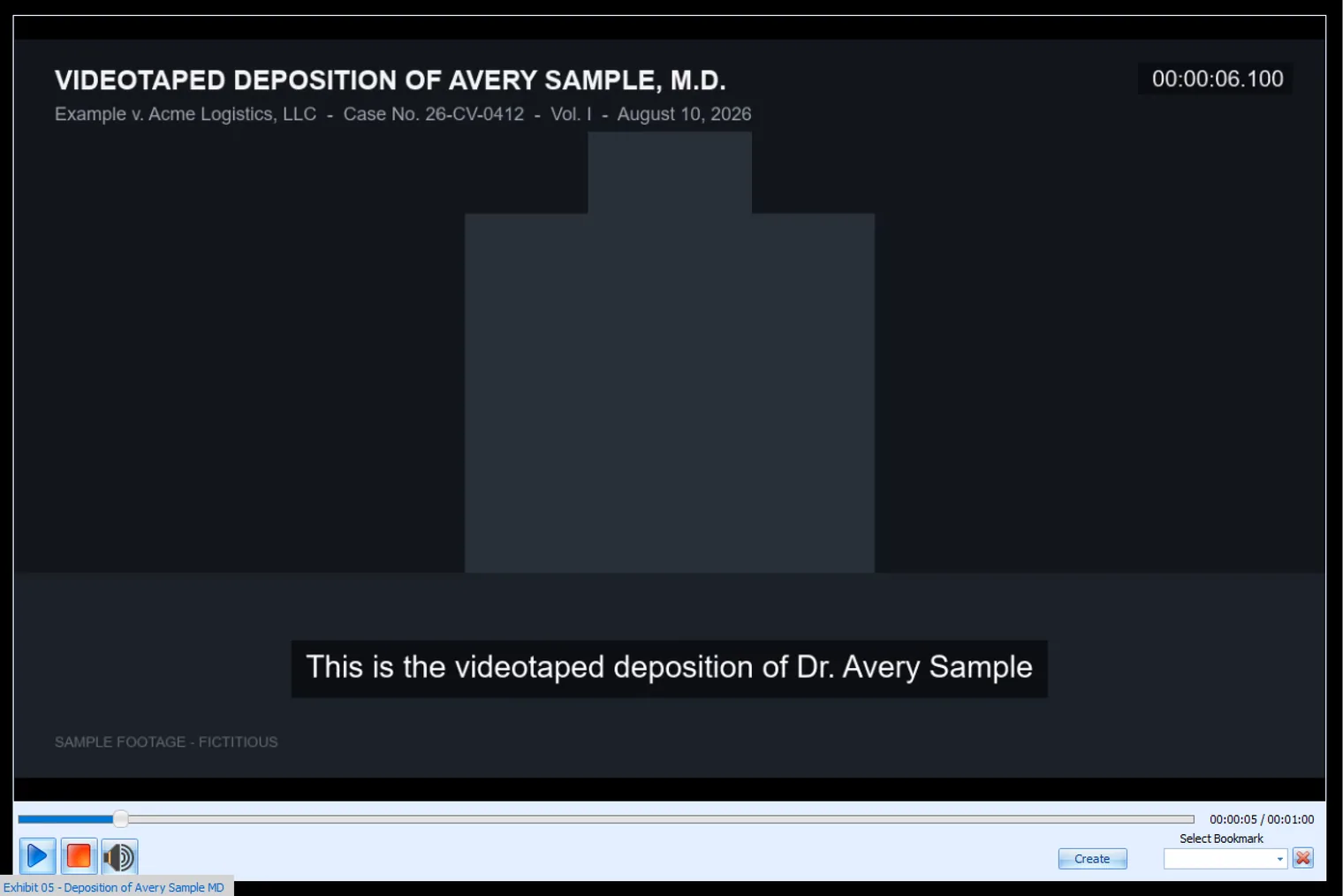
Play the clip that proves the point. Deposition video runs in sync with the transcript — show the thirty seconds that contradict the witness, on the courtroom screen, instantly.
Bookmarks & clips
Mark the testimony, and the clip is ready. Bookmark the lines that matter, cut clips on the fly, and have them cued before you need them.
Side-by-side comparison
Two exhibits on one screen. Put the contract next to the email, the before next to the after — the contradiction lands without a word.
Redaction, Bates & search
Find any exhibit in seconds. Search by Exhibit # or Bates #, redact what shouldn't be seen, and keep every exhibit labeled and in order.
The jury sees only the exhibit
You work from the full workspace; the courtroom sees a clean exhibit — never your notes, your file list or your next move.
Built for the biggest cases
Load a whole matter — thousands of PDFs, images and videos — and keep it organized, searchable and a click away. Large cases open quickly and stay responsive through a full trial day.
Explore ExhibitView →
Presents to any courtroom display, straight from your laptop.
The Role
We took over the software.
Xari became ExhibitView's engineering team. That meant learning a large, mature Windows desktop codebase from the inside — the presentation engine, the annotation system, video and deposition sync, the installer — and treating it as our own. Where the code needed rewriting, we rewrote it — while keeping every feature attorneys depend on. We found what was true in the code, fixed things at the root, and kept shipping to attorneys who were using it in court that same week.
The Challenge
Live in front of a jury. No second chances.
Trial presentation software runs under conditions most applications never meet: a laptop driving a courtroom display, hours of deposition video, thousands of exhibits in one case, annotations drawn live while everyone watches. A freeze isn't a bug report — it's a lost moment in front of a jury. The product had to become rock-solid, lighter on memory, and current under the hood, all while releases kept flowing to working attorneys.
The Work
What Xari did.
Stability, root-caused
Long-standing freezes and crashes were traced to their actual causes with real diagnostics, not guesswork. Each fix closed a class of failures — not a single report.
Video, rebuilt for the courtroom
Playback moved off a discontinued media engine, then went further: zoom and pan inside a playing clip, draw shapes over live video, freeze a frame as a new exhibit, mark in-and-out ranges and export them as clips — all mirrored to the courtroom screen. The hardest surface in the product, made routine.
Annotation, precise on every screen
Highlights, callouts, ink and shapes land exactly where they're drawn, on any display scaling. Callouts zoom and pan at full resolution, marks can be moved after placing, and everything mirrors to the courtroom screen in real time — both ways.
Faster and lighter
Image, PDF and thumbnail pipelines redesigned around layered caching. Large cases open quicker and stay responsive through a full trial day.
Leaner foundations
Six dependencies retired during the move to 64-bit — a paid, discontinued media SDK, a paid PDF library, the paid installer toolchain, a legacy tablet-ink component, a legacy grid control and a dead second browser — replaced with modern open ones or with nothing at all. Fewer moving parts, fewer licence renewals, less to go wrong.
Diagnostics that answer questions
Structured logs stamped with the build, timing instrumentation that flags its own stalls, crash capture on every machine, and field telemetry triaged into fixes. A report now arrives with evidence, not a phone call.
Also under the hood
- Zoom and pan inside a playing video; frame-accurate seeking
- Shape annotations drawn over live video, mirrored to the courtroom screen
- Video snapshots that become exhibits; range bookmarks exported as clips
- New audio and video formats supported; playback fixed on common laptop graphics
- Deposition video and transcript sync made responsive and freeze-free
- Two-way annotation sync between the laptop and the courtroom screen
- Zoom-style callouts with pan, rendered at full resolution
- Keyboard shortcuts for live presentation; find any exhibit by Exhibit # or Bates #
- Per-exhibit display labels, a projector-identifier toggle, Exhibit # and Bates # on case reports
- Snapshots land in the working folder; copies keep their renames; one running instance; case files open on double-click
- Code-signed, timestamped installer with silent install; moved or cloud-only case folders handled gracefully
- PDF pages at a fraction of the pixels; layered image and thumbnail caches; bounded undo memory; leak and handle fixes
The Product
Still ExhibitView. Just dependable.
The workflow attorneys know didn't change — organize exhibits, present to the courtroom screen, annotate live, play the deposition clip. Two screens, one system: counsel works from the laptop, and the courtroom sees only the exhibit. What changed is everything underneath it.
ExhibitsLive annotationDeposition videoCourtroom displayOne steady system
In the Courtroom
Built for the moment it matters.
Pull up an exhibit, call out the paragraph that matters, play the thirty seconds of deposition that prove the point — on the courtroom screen, instantly, while the attorney keeps eye contact with the jury. That's the standard the software is held to, and the standard Xari engineered it to meet.
Why attorneys choose it
Trial presentation done right. Every time.
Easier to use, more flexible in court, and jurors love it. ExhibitView keeps hundreds of exhibits and hours of deposition video a click away — and, rebuilt by Xari under the hood, it holds up under the one condition that matters: live, in front of a jury, with no second chances.
One-click exhibitsThousands of PDFs, images & videosSynced deposition videoCallouts & instant recallPresents to any courtroom displaySupport rated excellent by 9 in 10 users
“
Taking over a mature product means rewriting what needs it without losing what works — finding the truth in the code, fixing it at the root, and shipping steadily while people depend on it.— The Xari team
What Xari Does
A steady hand for software people already depend on.
Legacy modernization & engineering takeover
Windows desktop & .NET development
Video, media & real-time presentation
Performance & stability engineering
Release, installer & deployment engineering
Engineering augmentation
Have a product that works but has outgrown its original team? That's us.
Let's talk
Have a product that needs a steady hand? Let's talk.
Xari takes over, modernizes and grows software products companies already rely on — rebuilding under the hood without losing what works.
Get in touchExhibitView is a product of ExhibitView Solutions, LLC. Product name and imagery used with permission. All screenshots were captured by Xari from a fictitious sample case — no real matter, party, transcript or exhibit is shown.
